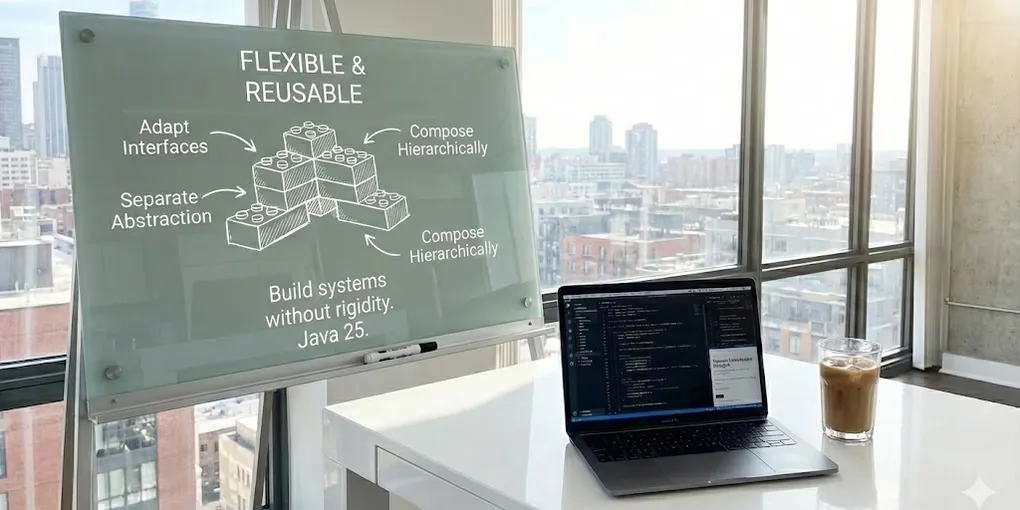
This fourth installment explores structural patterns: ways to organize and connect classes and objects to build flexible, reusable systems. You’ll see how to adapt interfaces, separate abstraction from implementation, compose hierarchically, extend behavior without inheritance, and optimize memory, with clear examples in Java 25.
Structural Design Patterns
Structural patterns focus on how classes and objects are composed to form larger structures. They use inheritance and composition to create new functionality from existing ones.
Adapter
The Adapter pattern allows incompatible interfaces to work together by converting one class’s interface into another that the client expects. There are two main variants: the class adapter (which uses multiple inheritance where the language allows it) and the object adapter (which uses composition).
The class adapter inherits from the adapted class and implements the target interface, allowing the inherited behavior to be modified. The object adapter holds an instance of the adapted class and delegates calls, which allows adapting multiple classes and switching between them dynamically. The amount of work the adapter does depends on how different the interfaces are.
Example: Adapter for payment system integration
// Target interface that our system expectspublic interface PaymentProcessor {    PaymentResult process(PaymentRequest request);    PaymentStatus checkStatus(String transactionId);    RefundResult refund(String transactionId, Money amount);}
public record PaymentRequest(    String customerId,    Money amount,    CardInfo card,    String description) {}
public record PaymentResult(    String transactionId,    PaymentStatus status,    Instant processedAt,    String message) {}
public enum PaymentStatus { PENDING, COMPLETED, FAILED, REFUNDED }
// External library with incompatible interface (we cannot modify it)public class StripeClient {    public StripeCharge createCharge(String apiKey, StripeChargeRequest request) {        // Stripe implementation        return new StripeCharge();    }
    public StripeCharge retrieveCharge(String apiKey, String chargeId) {        return new StripeCharge();    }
    public StripeRefund createRefund(String apiKey, String chargeId, long amountCents) {        return new StripeRefund();    }}
public class StripeChargeRequest {    private long amount;    private String currency;    private String source;    private String description;    // getters, setters...}
// Object adapter - adapts StripeClient to PaymentProcessorpublic class StripePaymentAdapter implements PaymentProcessor {
    private final StripeClient stripeClient;    private final String apiKey;
    public StripePaymentAdapter(String apiKey) {        this.stripeClient = new StripeClient();        this.apiKey = apiKey;    }
    @Override    public PaymentResult process(PaymentRequest request) {        // Convert our request to Stripe format        var stripeRequest = new StripeChargeRequest();        stripeRequest.setAmount(request.amount().toCents());        stripeRequest.setCurrency(request.amount().currency());        stripeRequest.setSource(createStripeToken(request.card()));        stripeRequest.setDescription(request.description());
        try {            StripeCharge charge = stripeClient.createCharge(apiKey, stripeRequest);
            // Convert Stripe response to our format            return new PaymentResult(                charge.getId(),                mapStripeStatus(charge.getStatus()),                Instant.ofEpochSecond(charge.getCreated()),                charge.getOutcomeMessage()            );        } catch (StripeException e) {            return new PaymentResult(                null,                PaymentStatus.FAILED,                Instant.now(),                e.getMessage()            );        }    }
    @Override    public PaymentStatus checkStatus(String transactionId) {        StripeCharge charge = stripeClient.retrieveCharge(apiKey, transactionId);        return mapStripeStatus(charge.getStatus());    }
    @Override    public RefundResult refund(String transactionId, Money amount) {        StripeRefund refund = stripeClient.createRefund(apiKey, transactionId, amount.toCents());        return new RefundResult(refund.getId(), refund.getStatus().equals("succeeded"));    }
    private PaymentStatus mapStripeStatus(String stripeStatus) {        return switch (stripeStatus) {            case "succeeded" -> PaymentStatus.COMPLETED;            case "pending" -> PaymentStatus.PENDING;            case "refunded" -> PaymentStatus.REFUNDED;            default -> PaymentStatus.FAILED;        };    }
    private String createStripeToken(CardInfo card) {        // Create card token for Stripe        return "tok_" + card.number().substring(card.number().length() - 4);    }}
// Usage - the client works with the unified interfacepublic class CheckoutService {    private final PaymentProcessor paymentProcessor;
    public CheckoutService(PaymentProcessor paymentProcessor) {        this.paymentProcessor = paymentProcessor;    }
    public OrderConfirmation checkout(Cart cart, CardInfo card) {        var request = new PaymentRequest(            cart.customerId(),            cart.total(),            card,            "Order #" + cart.id()        );
        PaymentResult result = paymentProcessor.process(request);
        return switch (result.status()) {            case COMPLETED -> new OrderConfirmation(cart.id(), result.transactionId(), true);            case PENDING -> throw new PaymentPendingException(result.transactionId());            default -> throw new PaymentFailedException(result.message());        };    }}
// Configuration - choose adapter based on configurationPaymentProcessor processor = switch (config.get("payment.provider")) {    case "stripe" -> new StripePaymentAdapter(config.get("stripe.api.key"));    case "paypal" -> new PayPalPaymentAdapter(config.get("paypal.client.id"), config.get("paypal.secret"));    default -> throw new IllegalStateException("Unknown payment provider");};
Bridge
The Bridge pattern decouples an abstraction from its implementation, allowing both to vary independently. This pattern splits a class hierarchy into two independent hierarchies: one for abstractions and one for implementations.
The abstraction holds a reference to an implementor object and delegates the actual work to it. This allows the implementation to be changed at runtime and avoids a combinatorial explosion of classes when there are multiple dimensions of variation. It’s especially useful when you want to expose a public API while keeping internal implementation details hidden.
Example: Cross-platform rendering system
// Implementor - defines the low-level interfacepublic interface RenderingEngine {    void drawLine(int x1, int y1, int x2, int y2, Color color);    void drawCircle(int x, int y, int radius, Color color, boolean filled);    void drawRectangle(int x, int y, int width, int height, Color color, boolean filled);    void drawText(String text, int x, int y, Font font, Color color);    void clear();    byte[] exportAsImage(String format);}
// Concrete implementations for different platformspublic class OpenGLRenderer implements RenderingEngine {    private final long glContext;
    public OpenGLRenderer(int width, int height) {        this.glContext = initOpenGL(width, height);    }
    @Override    public void drawLine(int x1, int y1, int x2, int y2, Color color) {        glBegin(GL_LINES);        glColor4f(color.getRed()/255f, color.getGreen()/255f, color.getBlue()/255f, color.getAlpha()/255f);        glVertex2i(x1, y1);        glVertex2i(x2, y2);        glEnd();    }
    @Override    public void drawCircle(int x, int y, int radius, Color color, boolean filled) {        // OpenGL implementation for circles    }
    // ... other methods}
public class SVGRenderer implements RenderingEngine {    private final StringBuilder svgContent;    private final int width;    private final int height;
    public SVGRenderer(int width, int height) {        this.width = width;        this.height = height;        this.svgContent = new StringBuilder();        clear();    }
    // ... other methods}
// Abstraction - defines the high-level interface for shapespublic abstract class Shape {    protected RenderingEngine renderer;    protected Color color;    protected int x, y;
    protected Shape(RenderingEngine renderer, Color color, int x, int y) {        this.renderer = renderer;        this.color = color;        this.x = x;        this.y = y;    }
    public abstract void draw();    public abstract double area();
    public void setRenderer(RenderingEngine renderer) {        this.renderer = renderer;    }
    public void moveTo(int newX, int newY) {        this.x = newX;        this.y = newY;    }}
// Refined abstractions - different types of shapespublic class Circle extends Shape {    private final int radius;
    public Circle(RenderingEngine renderer, Color color, int x, int y, int radius) {        super(renderer, color, x, y);        this.radius = radius;    }
    @Override    public void draw() {        renderer.drawCircle(x, y, radius, color, true);    }
    @Override    public double area() {        return Math.PI * radius * radius;    }}
public class Rectangle extends Shape {    private final int width;    private final int height;
    public Rectangle(RenderingEngine renderer, Color color, int x, int y, int width, int height) {        super(renderer, color, x, y);        this.width = width;        this.height = height;    }
    @Override    public void draw() {        renderer.drawRectangle(x, y, width, height, color, true);    }
    @Override    public double area() {        return width * height;    }}
public class Triangle extends Shape {    private final int base;    private final int height;
    public Triangle(RenderingEngine renderer, Color color, int x, int y, int base, int height) {        super(renderer, color, x, y);        this.base = base;        this.height = height;    }
    @Override    public void draw() {        // Draw triangle using lines        int x2 = x + base;        int x3 = x + base / 2;        int y3 = y - height;
        renderer.drawLine(x, y, x2, y, color);        renderer.drawLine(x2, y, x3, y3, color);        renderer.drawLine(x3, y3, x, y, color);    }
    @Override    public double area() {        return (base * height) / 2.0;    }}
// Using the Bridge patternpublic class DrawingApplication {    private final List<Shape> shapes = new ArrayList<>();    private RenderingEngine currentRenderer;
    public DrawingApplication(RenderingEngine renderer) {        this.currentRenderer = renderer;    }
    public void addShape(Shape shape) {        shapes.add(shape);    }
    public void switchRenderer(RenderingEngine newRenderer) {        this.currentRenderer = newRenderer;        // Update all shapes to the new renderer        shapes.forEach(shape -> shape.setRenderer(newRenderer));    }
    public void render() {        currentRenderer.clear();        shapes.forEach(Shape::draw);    }
    public byte[] export(String format) {        render();        return currentRenderer.exportAsImage(format);    }}
// Usage examplevar svgRenderer = new SVGRenderer(800, 600);var app = new DrawingApplication(svgRenderer);
app.addShape(new Circle(svgRenderer, Color.RED, 100, 100, 50));app.addShape(new Rectangle(svgRenderer, Color.BLUE, 200, 200, 150, 100));app.addShape(new Triangle(svgRenderer, Color.GREEN, 400, 300, 100, 80));
// Export as SVGbyte[] svgImage = app.export("svg");
// Switch to OpenGL for on-screen renderingapp.switchRenderer(new OpenGLRenderer(800, 600));app.render();
Composite
The Composite pattern allows composing objects into tree structures to represent part-whole hierarchies. Clients can treat individual objects and compositions of objects uniformly through a common interface.
This pattern organizes components into leaves (primitive elements with no children) and composites (elements that contain other components). There is a trade-off between type safety (separating operations specific to leaves and composites) and transparency (having the same interface for both). Complex structures can be built elegantly from simple components.
Example: File system with Composite
// Composite in React: Nested menu components
// Base componentexport function Menu({ children }) {  return <ul>{children}</ul>;}
// "Leaf": simple menu itemexport function MenuItem({ label }) {  return <li>{label}</li>;}
// "Composite": menu item with children (submenu)export function SubMenu({ label, children }) {  return (    <li>      <span>{label}</span>      <ul>{children}</ul>    </li>  );}
// Usage example:export function AppMenu() {  return (    <Menu>      <MenuItem label="Home" />      <MenuItem label="About" />      <SubMenu label="Products">        <MenuItem label="Product A" />        <MenuItem label="Product B" />        <SubMenu label="More products">          <MenuItem label="Product C" />        </SubMenu>      </SubMenu>      <MenuItem label="Contact" />    </Menu>  );}
Decorator
The Decorator pattern adds additional responsibilities to an object dynamically, providing a flexible alternative to inheritance for extending functionality. Decorators wrap the original object and preserve its interface, allowing multiple decorators to be stacked transparently.
This pattern is ideal when you need to add behavior to individual objects without affecting other objects of the same class. Each decorator can run logic before, during, or after delegating to the wrapped object. In modern Java, decorators can also be implemented elegantly using function composition.
Example: Text processing system with decorators
// Base interfacepublic interface TextProcessor { String process(String text);}
// Base implementationpublic class PlainTextProcessor implements TextProcessor { @Override public String process(String text) { return text; }}
// Abstract decorator basepublic abstract class TextProcessorDecorator implements TextProcessor { protected final TextProcessor wrapped;
protected TextProcessorDecorator(TextProcessor wrapped) { this.wrapped = Objects.requireNonNull(wrapped); }
@Override public String process(String text) { return wrapped.process(text); }}
// Concrete decoratorspublic class UpperCaseDecorator extends TextProcessorDecorator { public UpperCaseDecorator(TextProcessor wrapped) { super(wrapped); }
@Override public String process(String text) { return super.process(text).toUpperCase(); }}
@Slf4jpublic class LoggingDecorator extends TextProcessorDecorator { public LoggingDecorator(TextProcessor wrapped) { super(wrapped); }
@Override public String process(String text) { log.info("Input: " + text.substring(0, Math.min(50, text.length())) + "..."); String result = super.process(text); log.info("Output: " + result.substring(0, Math.min(50, result.length())) + "..."); return result; }}
// Usage with stacked decoratorsfinal TextProcessor processor = new LoggingDecorator( new HtmlEncodingDecorator( new CensoringDecorator( new TrimmingDecorator( new PlainTextProcessor() ), Set.of("spam", "inappropriate") ) ));
final String result = processor.process(" <script>spam content</script> ");// Output: <script>*** content</script>
// Functional alternative using function compositionpublic class FunctionalTextProcessor {
public static Function<String, String> trim() { return String::strip; }
public static Function<String, String> toUpperCase() { return String::toUpperCase; }
public static Function<String, String> censor(Set<String> bannedWords) { return text -> { String result = text; for (String word : bannedWords) { result = result.replaceAll("(?i)" + Pattern.quote(word), "***"); } return result; }; }
public static Function<String, String> htmlEncode() { return text -> text .replace("&", "&") .replace("<", "<") .replace(">", ">"); }
@SafeVarargs public static Function<String, String> compose(Function<String, String>... processors) { return Stream.of(processors) .reduce(Function.identity(), Function::andThen); }}
// Functional usagefinal var processor = FunctionalTextProcessor.compose( FunctionalTextProcessor.trim(), FunctionalTextProcessor.censor(Set.of("spam")), FunctionalTextProcessor.htmlEncode(), FunctionalTextProcessor.toUpperCase());
final String result = processor.apply(" <spam>hello</spam> ");// Output: <***>HELLO</***>Facade
The Facade pattern provides a unified, simplified interface to a set of interfaces in a subsystem. It reduces system complexity by hiding its internal components behind a facade that exposes only the most common operations.
This pattern is useful when there is a complex system with multiple interdependent classes and you want to provide a simple way to use it for the most frequent use cases.
For example, you may want to provide a facade for using a relational database while hiding the complexity of switching implementations when working with Oracle DB vs Aurora RDS. So you expose only one interface and internally make the appropriate changes depending on which database is being used.
The facade does not prevent direct access to the subsystem’s components when advanced functionality is needed, but it offers a convenient entry point for most situations.
Example: Facade for e-commerce system
// Example of using Facade in Laravel
use Illuminate\Support\Facades\DB;use Illuminate\Support\Facades\Cache;use Illuminate\Support\Facades\Mail;
Route::get('/facade-example', function () {    // Access a database (may be PostgreSQL, MySQL, etc.) using the DB facade    $users = DB::table('users')->where('active', true)->get();
    // Store data temporarily with the Cache facade    Cache::put('active_users', $users, 60);
    // Send an email using the Mail facade    Mail::raw('Welcome!', function ($message) {        $message->to('email@example.com')                ->subject('Greetings from Laravel');    });
    return 'Operations performed via facades.';});
/*Laravel Facades allow access to complex functionality (databases, cache, email, etc.)through a global, simple interface, using only a static class as the entry point.This simplifies the code and removes the need to manually instantiate services or dependencies.Under the hood each one may use different services (e.g. redis, valkey, etc.)*/
Flyweight
The Flyweight pattern optimizes memory usage by efficiently sharing large numbers of similar objects. It separates an object’s state into intrinsic state (shared, immutable) and extrinsic state (unique per context, provided by the client).
This pattern is applicable when many objects are used whose storage is costly, most of the state can be externalized, and using the pattern significantly reduces the number of objects. A flyweight object must be indistinguishable from one created independently for each use.
Example: Text editor with shared characters
// Example: String pool (implicit flyweight in Java)public class PoolStringFlyweightDemo {    public static void main(String[] args) {        // Literals: both point to the same object in the pool        String a = "hello";        String b = "hello";        System.out.println(a == b); // true
        // new String: creates a new object ONLY if intern() is not used        String c = new String("hello");        System.out.println(a == c); // false
        // intern(): forces use of the unique object in the pool (flyweight)        String d = c.intern();        System.out.println(a == d); // true
        // Whenever a string is interned, the instance is shared in memory    }}/*In Java, string literals and interned strings are stored in a pool.This implements the flyweight pattern: if two parts of the program use the same literal or intern(),they get the same immutable, shared reference — saving memory.Note: since the result of == changes depending on how the String was created,it is still bad practice in Java to compare two Strings with ==. Always use the equals method*/
Proxy
The Proxy pattern provides a surrogate or placeholder for another object to control access to it. Unlike the Adapter, which changes the interface, the Proxy implements the same interface as the real object and can add additional behavior such as lazy loading, access control, logging, or caching.
There are several types of proxies: virtual (creates expensive objects on demand), remote (represents objects in another address space), protection (controls access permissions), and smart reference (performs additional operations on each access).
Example: Proxy with multiple capabilities
// Common interfacepublic interface ImageLoader {    Image load(String path);    byte[] loadRaw(String path);    ImageMetadata getMetadata(String path);}
public record Image(String path, int width, int height, byte[] data) {}public record ImageMetadata(String path, long size, String format, Instant created) {}
// Real implementation (expensive)public class DiskImageLoader implements ImageLoader {    // Implements logic to load image from disk}
// Virtual proxy with lazy loading and cachepublic class CachingImageProxy implements ImageLoader {
    private final ImageLoader realLoader;    private final Map<String, Image> imageCache = new ConcurrentHashMap<>();    private final Map<String, ImageMetadata> metadataCache = new ConcurrentHashMap<>();    private final int maxCacheSize;
    public CachingImageProxy(ImageLoader realLoader, int maxCacheSize) {        this.realLoader = realLoader;        this.maxCacheSize = maxCacheSize;    }
    @Override    public Image load(String path) {        return imageCache.computeIfAbsent(path, p -> {            evictIfNecessary();            return realLoader.load(p);        });    }
    @Override    public byte[] loadRaw(String path) {        // Raw always goes to disk, not cached        return realLoader.loadRaw(path);    }
    @Override    public ImageMetadata getMetadata(String path) {        return metadataCache.computeIfAbsent(path, realLoader::getMetadata);    }
    private void evictIfNecessary() {        if (imageCache.size() >= maxCacheSize) {            // Evict oldest entry (simplified)            imageCache.keySet().stream().findFirst().ifPresent(imageCache::remove);        }    }
    public void clearCache() {        imageCache.clear();        metadataCache.clear();    }
    public int cacheSize() {        return imageCache.size();    }}
// Combined use of proxies (proxy decorator)final ImageLoader loader =        new CachingImageProxy(            new DiskImageLoader(),            100  // max cache size        );
// The client uses the interface without knowing about the proxiesfinal Image img1 = loader.load("/images/photo.png");  // Load from diskfinal Image img2 = loader.load("/images/photo.png");  // From cache